360 Camera vs Phone Video for Gaussian Splatting
Compare 360 cameras and phone video for Gaussian splatting by coverage, motion control, export quality, and tour output.

In this guide
Choose based on room coverage, motion control, export quality, and the final tour package.
Short answer
A 360 camera can gather context quickly, while phone video can produce cleaner detail when the route is controlled.
Choose based on room coverage, motion control, export quality, and the final tour package. A useful test is simple: can someone open the tour, understand the place, and know what to do next without a separate explanation?
Spatial Studio supports both routes. Spatial Lens guides iPhone capture, while supported 360 media can feed the cloud workflow. Local Mac processing, photo and drone inputs, PortalCam, and existing splats provide additional paths into the same tour editor.
Side-by-side field trade-offs
| Field question | 360 camera | Phone video |
|---|---|---|
| How much of the room is visible at once? | Nearly all directions, subject to stitching and occlusion. | Only the framed direction, which gives the operator more control. |
| What is easiest to get wrong? | Lens smudges, seam placement, operator visibility, and low light. | Fast pans, autofocus jumps, exposure changes, and missed side surfaces. |
| Where does it save time? | Connected interiors where broad coverage matters. | Small scenes and directed detail routes. |
| Which motion feels natural? | Slow walking with stable camera height. | Deliberate passes that point toward useful surfaces. |
The 360 camera is not automatically more complete. A chair, island, or wall can still hide nearby surfaces. The phone is not automatically lower quality. Its narrower view can preserve detail when the route is planned carefully.
Test the difficult doorway
Choose a transition from a dim room toward a bright window or exterior. Walk it once with each device at the pace you would use on a paid job. Compare exposure, blur, overlap, and the reconstructed connection between rooms.
This one test reveals the operator burden. A 360 camera reduces pointing decisions but introduces stitching and spherical export concerns. A phone asks the operator to frame deliberately but provides a simpler conventional video path.
Publish both before deciding
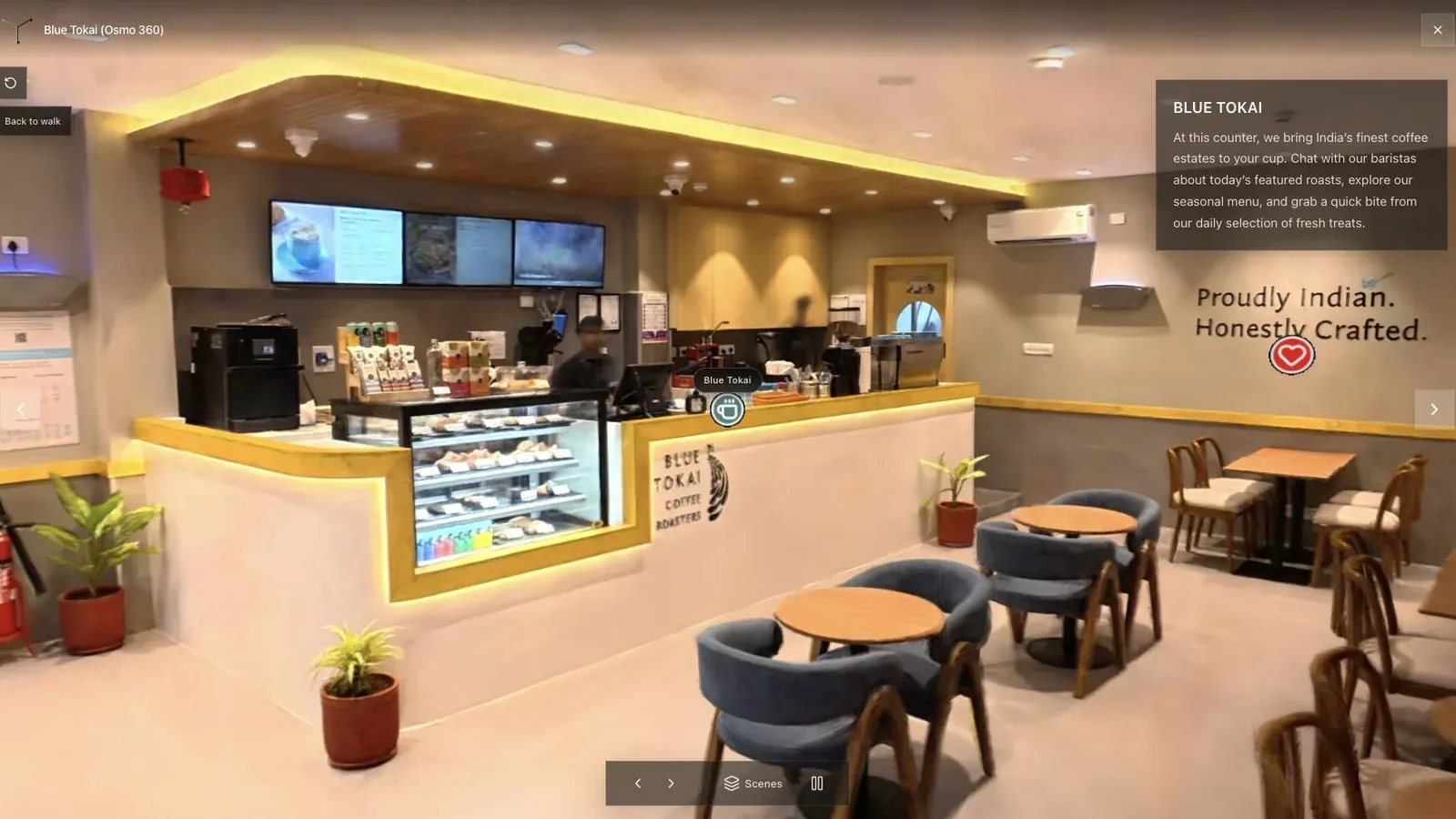
A cafe is a good comparison scene because tight paths, glass, seating, and mixed light expose different weaknesses.
Give both scenes the same opening view, room names, CTA, and mobile test. Ask someone unfamiliar with the property to find the counter, seating, and exit. The winner is the workflow that creates the clearer experience for a sensible amount of operator time.
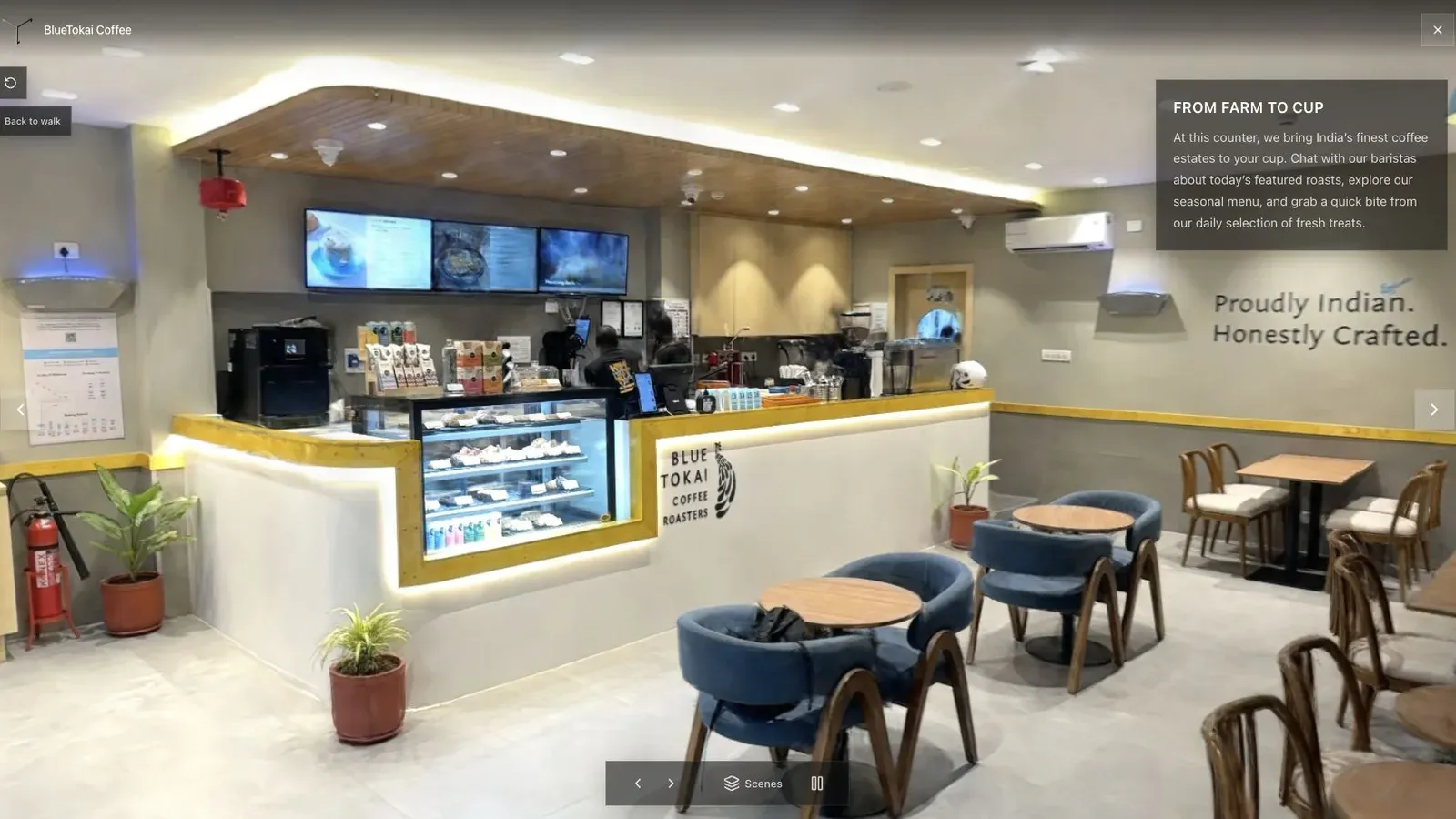
The published opening should make the capture device irrelevant to the visitor.
Use the ecosystem rather than forcing a permanent camera decision. An agency can standardize phone capture for ordinary listings, use 360 where coverage saves time, and bring in drone or PortalCam sources for sites with different needs. Spatial Studio keeps the authoring and client handoff consistent.
Frequently asked questions
Before buying another camera, run one paid-work simulation with the phone already in your pocket and one borrowed or rented 360 camera. Include setup, stitching, upload, reconstruction, cleanup, and client review. Faster capture is not necessarily faster delivery if its footage adds conversion work or makes difficult areas harder to repair.
Is a 360 camera faster than a phone?
It can capture broader context per moment, but export, stitching review, file handling, and reconstruction still affect total turnaround.
Which is better in low light?
Neither format removes the need for readable exposure and slow motion. Test the exact devices and room rather than comparing resolution labels.
Can I mix 360 and phone capture?
Yes in supported workflows. Use each source for a defined purpose and check the combined reconstruction carefully.
Related reading
Next step
Generate a splat tour
Use the guide with your own project, or inspect a published example before starting.
Continue reading
Related articles
Capture Workflows
How to Make a Gaussian Splat on Mac from Photos or Video
Create a 3D Gaussian splat locally on an Apple silicon Mac from photos or video. Follow the capture, processing, review, export, and publishing workflow.
Read articleCapture Workflows
Photogrammetry vs Gaussian Splatting on Mac
Compare photogrammetry and Gaussian splatting on Mac by output, geometry, visual quality, capture, editing, measurement, hardware, and delivery workflow.
Read article