360 Tour vs Gaussian Splat Tour
Compare 360 tours and Gaussian splat tours by capture speed, viewer experience, mobile performance, embeds, and sales use.

Compare 360 tours and Gaussian splat tours by capture speed, viewer experience, mobile performance, embeds, and sales use.
A 360 tour is often faster and lighter; a splat tour can feel more walkable when capture and publishing are strong.
Short answer
Choose based on visitor needs, budget, capture conditions, and the sales value of spatial movement.
A 360 tour is often faster and lighter; a splat tour can feel more walkable when capture and publishing are strong. A useful test is simple: can someone open the tour, understand the place, and know what to do next without a separate explanation?
Spatial Studio can publish both splat-led experiences and tours that include 360 panoramas. Its capture ecosystem spans iPhone, local Mac, cloud generation, photo, 360, drone, PortalCam, and existing splat workflows.
The format trade-off
| Decision | 360 tour | Gaussian splat tour |
|---|---|---|
| Movement | Jump between fixed panorama positions. | Move continuously through reconstructed depth. |
| Capture and processing | Usually faster and more predictable. | Requires reconstruction and closer artifact review. |
| Spatial understanding | Clear from each node, weaker between nodes. | Stronger sense of connection when capture succeeds. |
| Mobile weight | Often lighter. | Varies with scene size and optimization. |
| Best use | Straightforward rooms, fast delivery, broad compatibility. | Properties or places where flow, parallax, and exterior context affect the decision. |
Do not choose the splat because it is newer. Choose it when continuous movement helps a visitor understand the place. A clean 360 tour is better than a broken splat and can be healthier for low-margin listings.
Compare the same cafe
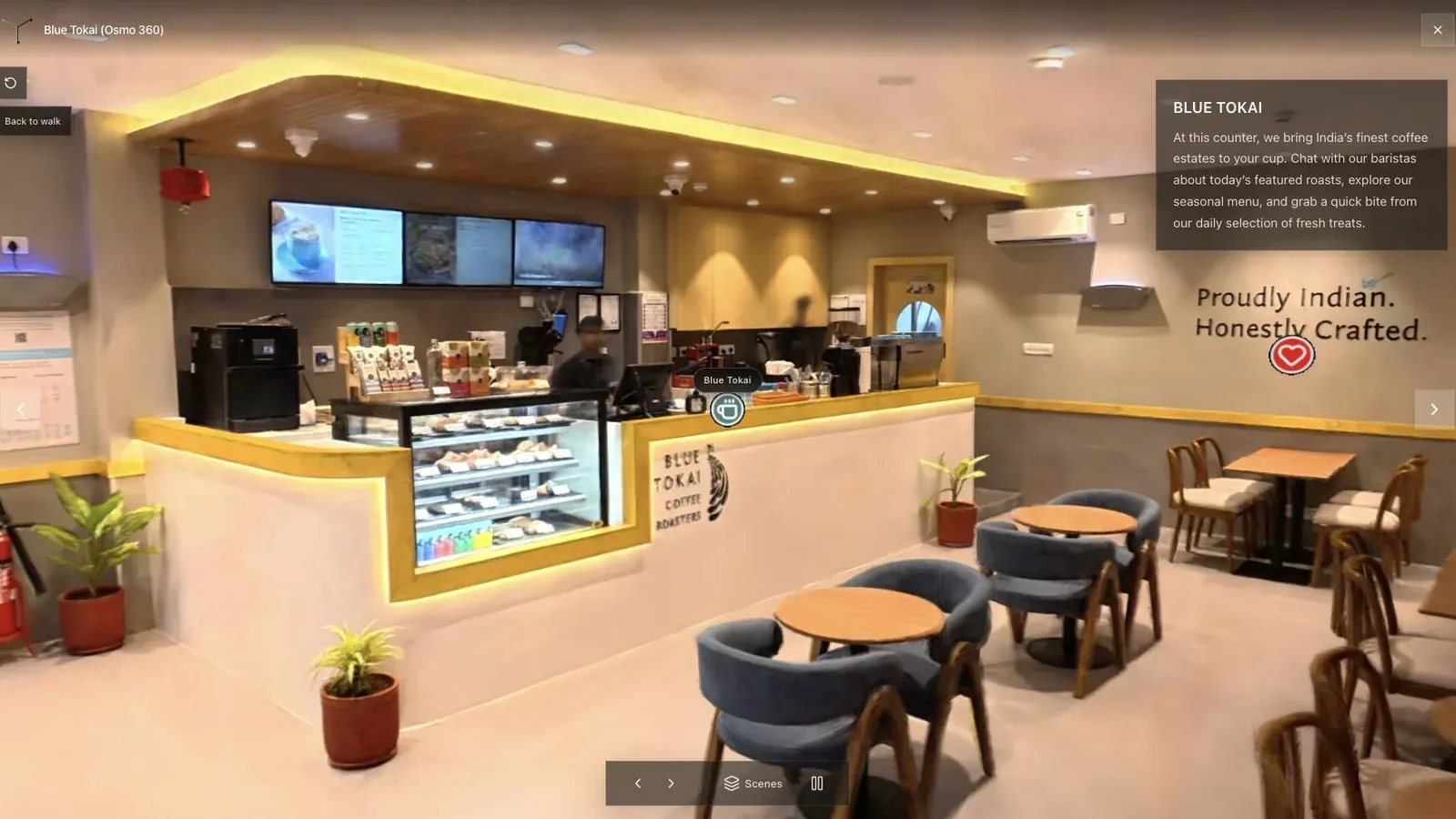
A cafe exposes the difference: a panorama shows each viewpoint clearly, while a good splat explains how the counter, seating, and entrance connect.
Publish both formats with the same start, labels, and booking action. Ask unfamiliar viewers to find the counter and understand the circulation path. Record loading time and authoring effort along with preference. The format that produces the clearest result for the budget wins the job.
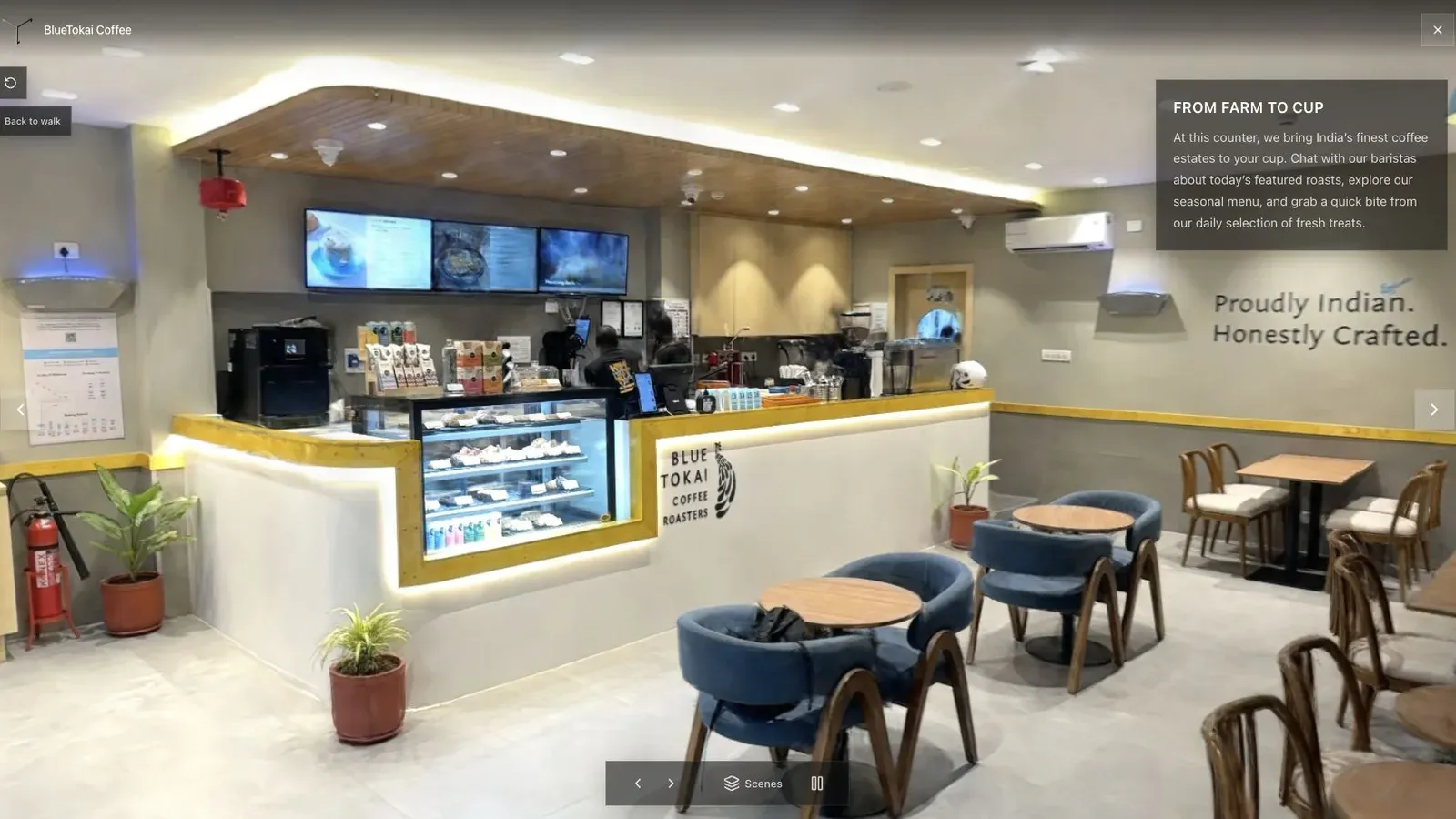
Whatever the format, the visitor should recognize the space before learning the controls.
When a hybrid tour works
A project does not have to choose one format everywhere. A splat can explain the main spatial route, while a 360 panorama handles a reflective room, distant viewpoint, or location that was captured separately. Spatial Studio can combine these media with maps, floor plans, photos, and video.
Use the hybrid only when the transition is clear. Label the change and return the visitor to a predictable route.
Frequently asked questions
Sell the outcome before the format. Ask whether the client needs complete room coverage, freer spatial movement, a familiar fixed path, an aerial reveal, or the lowest-friction mobile experience. Then produce one representative tour and watch a new visitor use it without coaching. That exposes route and performance problems a feature table misses.
Keep the original capture and the published links from that test. They become a reusable sales example and make later quality, price, and production-time comparisons much more credible.
Repeat the test when the service changes materially.
Is a splat tour always more realistic?
No. A strong splat can feel more spatial, but artifacts and weak capture can make it less convincing than sharp panoramas.
Which format is faster to produce?
360 tours are often faster because they do not require the same reconstruction step. Total time still depends on capture, stitching, authoring, and revisions.
Which should a real estate photographer sell?
Offer the 360 tour when speed and price define the brief. Offer a Spatial Studio splat tour when layout, movement, exterior context, or premium presentation supports a stronger package.
Related reading
Next step
Open the related workflow.
Review live examples or move straight into the matching Spatial Studio flow.
Continue reading
Related articles
Tour Publishing
3DGS Virtual Tour Guide
Build a 3DGS virtual tour with a clear first view, waypoints, labels, hotspots, CTA, embed, and analytics plan.
Read articleTour Publishing
How to Embed a Gaussian Splat Viewer on Your Website
Embed a Gaussian splat viewer or 3D tour with responsive iframe code, mobile checks, CMS notes, performance guidance, and publishing tips.
Read article