CloudPano vs Spatial Studio
Compare CloudPano and Spatial Studio for virtual tours, splats, guided stops, branding, lead capture, embeds, and analytics.

Compare CloudPano and Spatial Studio for virtual tours, splats, guided stops, branding, lead capture, embeds, and analytics.
CloudPano is known for virtual tours and real estate workflows; Real Horizons is stronger when the job needs cloud splat generation plus guided context, CTAs, embeds, and analytics.
Short answer
CloudPano is a sensible choice for a photographer selling conventional 360 tours with straightforward branding and lead-generation needs. Spatial Studio is the stronger choice when the source must become a Gaussian splat or the finished experience needs continuous 3D movement, mixed media, and a broader capture ecosystem.
The important difference begins before authoring. CloudPano generally enters the picture once panoramas are ready. Spatial Studio can guide iPhone capture, reconstruct locally on Mac, generate in the cloud from phone, photo, 360, drone, or PortalCam media, and accept a splat you already own.
Side-by-side decision
| Business need | CloudPano | Spatial Studio |
|---|---|---|
| Sell a lightweight 360 tour | Strong fit. | Possible, but may be more platform than the job requires. |
| Generate a Gaussian splat | Not the center of the workflow. | Core local and cloud workflow. |
| Combine splats, panoramas, maps, and floor plans | Limited by the panorama-first model. | Designed for mixed spatial media in one project. |
| Publish a branded link or embed | Relevant capability to verify by plan. | Core tour delivery workflow. |
| Track visitor and CTA activity | Compare current plan details. | Built into the published-tour workflow. |
Check CloudPano's current real estate product information before buying. Plans and limits change, and a comparison article should not substitute for a trial.
When CloudPano is enough
A 360-tour business can be profitable because the production method is predictable. Capture a set of panoramas, connect the rooms, add branding, publish, and move to the next job. If agents in your market understand that offer and the quality meets their needs, an elaborate 3D reconstruction adds risk without a clear revenue case.
CloudPano is also easier to explain when the client asks for a standard virtual tour. The operator does not need to teach “Gaussian splatting” or justify processing time. That simplicity matters for high-volume, price-sensitive listings.
When Spatial Studio is the better business bet
Spatial Studio earns the extra complexity when the property benefits from depth, movement, or context outside the rooms. A premium home may need a more natural walk between spaces. A development may need the building, plots, aerial view, floor plans, and a sales CTA in one experience. A venue may need guided stops and inquiry tracking.
The Real Horizons ecosystem also gives the agency several production routes. Spatial Lens covers guided iPhone capture. Spatial Studio for Mac supports private local reconstruction. The web platform handles cloud processing and cross-device authoring. 360 cameras, drones, DSLR sets, PortalCam, and existing splats can feed the same publishing system.
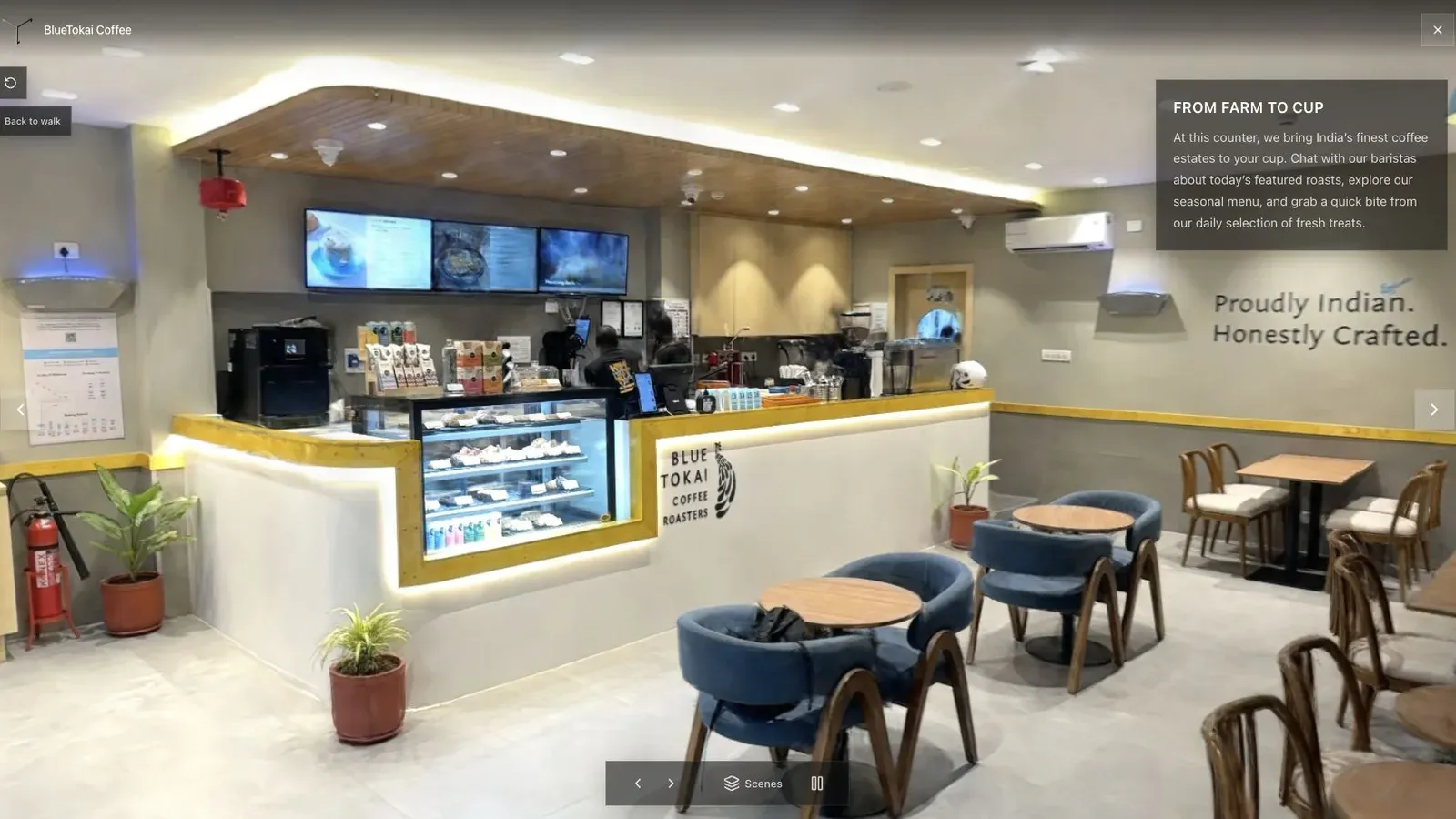
A client-ready tour begins with orientation, not a logo or a technical effect.
Compare the package economics
Do not compare only monthly subscription prices. Build two actual packages and include capture time, processing, authoring, revisions, hosting, support, and the expected number of live tours.
For the panorama package, price the speed and familiar output. For the Spatial Studio package, price the continuous 3D experience, guided presentation, map or floor-plan context, and post-launch reporting. If the second package cannot earn more or improve retention, the lighter workflow may be healthier.
A useful client test
Publish both formats for one cooperative listing. Use the same opening image and inquiry action. Ask five people who have never seen the property to find the kitchen, understand how the living area connects to the exterior, and identify the next sales step.
Watch where they hesitate. A beautiful tour that needs verbal instruction has failed its handoff. The test also reveals whether the splat's spatial continuity genuinely helps or merely impresses the production team.
Frequently asked questions
Is Spatial Studio a CloudPano alternative?
Yes for agencies that want browser tours, branding, embeds, and lead actions. Spatial Studio adds Gaussian splat generation and a mixed-media authoring ecosystem, while CloudPano remains more panorama-focused.
Which is better for a basic residential 360 tour?
CloudPano can be the more direct choice when fixed panorama nodes fully satisfy the brief.
Which is better for drone or exterior-led projects?
Spatial Studio is stronger when drone media, a 3D map, ground capture, and guided sales context need to live in one experience.
Can Spatial Studio use 360 media?
Yes. 360 footage can be used in supported splat-generation workflows, and 360 panoramas can also appear as tour content.
Related reading
Next step
Open the related workflow.
Review live examples or move straight into the matching Spatial Studio flow.
Continue reading
Related articles
Tool Comparisons
Giraffe360 vs Matterport vs Polycam, Three Workflows, Three Very Different Bets
A comparison of Giraffe360, Matterport, and Polycam through the lens of workflow design, business model, and who each platform is really built for.
Read articleTool Comparisons
3DVista vs Spatial Studio
Compare 3DVista and Spatial Studio by authoring depth, cloud splat generation, browser tours, branded handoff, and client workflow.
Read article