How to Embed a Gaussian Splat Tour on a Website
Embed a Gaussian splat tour on a website with cleaner layout, loading behavior, responsive sizing, CTA placement, and tracking.

Embed a Gaussian splat tour on a website with cleaner layout, loading behavior, responsive sizing, CTA placement, and tracking.
Embedding works when the page gives context, load behavior is reasonable, and the CTA does not fight the tour controls.
Short answer
The page around the embed matters because it tells visitors why to open the tour.
Embedding works when the page gives context, load behavior is reasonable, and the CTA does not fight the tour controls. A useful test is simple: can someone open the tour, understand the place, and know what to do next without a separate explanation?
Spatial Studio supplies a hosted tour and embed path after the scene is ready. Capture can begin with Spatial Lens, the Mac app, cloud generation, 360, drone, PortalCam, or an existing splat, but this guide focuses on the page where visitors encounter the result.
Design the page around the tour
| Page element | Recommendation | Failure to avoid |
|---|---|---|
| Heading | Explain the place or decision the tour supports. | “Interactive experience” with no useful context. |
| Preview | Show a recognizable frame and a clear invitation to explore. | A blank or heavy embed appearing without explanation. |
| Embed size | Give the viewer enough height for controls and movement. | A shallow strip that feels broken on mobile. |
| Fallback | Add a link that opens the tour directly. | Trapping visitors when the embed or browser policy fails. |
| CTA | Match the next step to the page, such as inquire or book. | Competing actions on top of navigation controls. |
For raw iframe and implementation details, use How to Embed a Gaussian Splat Viewer. This page focuses on visitor experience and conversion around the embed.
The tour must explain itself
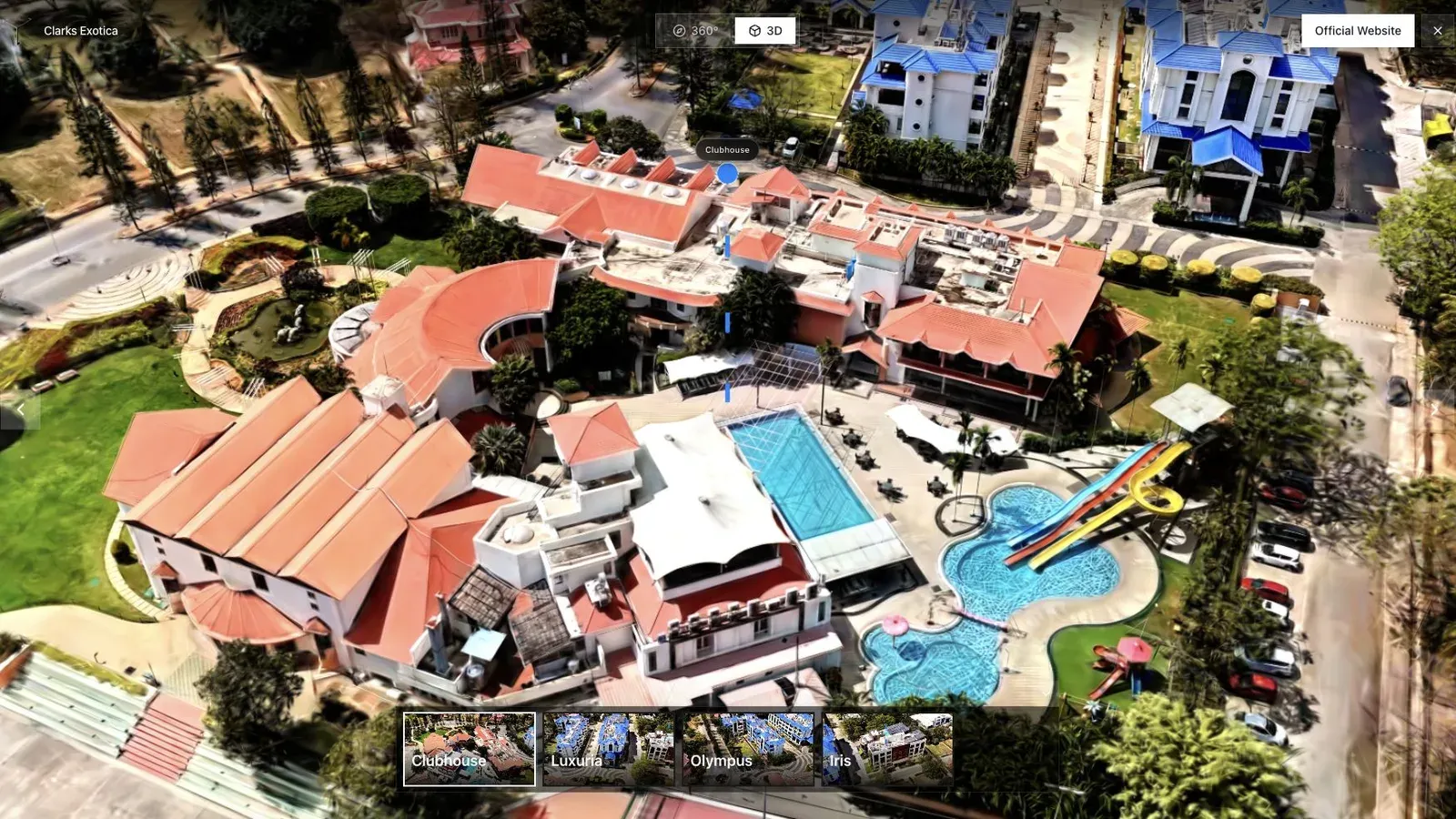
A resort page should tell visitors which amenities and areas the embedded tour contains before they commit to loading it.
Set the Spatial Studio opening view before copying the embed. Visitors will blame the page, not the editor, if the scene begins behind a wall. Keep waypoint names short and ensure the first useful action does not require scrolling inside a cramped frame.
Test touch gestures where the embed sits in the real page. A swipe intended to scroll can be captured by the viewer, and a full-screen button can collide with sticky headers. These problems do not appear in an isolated desktop preview.
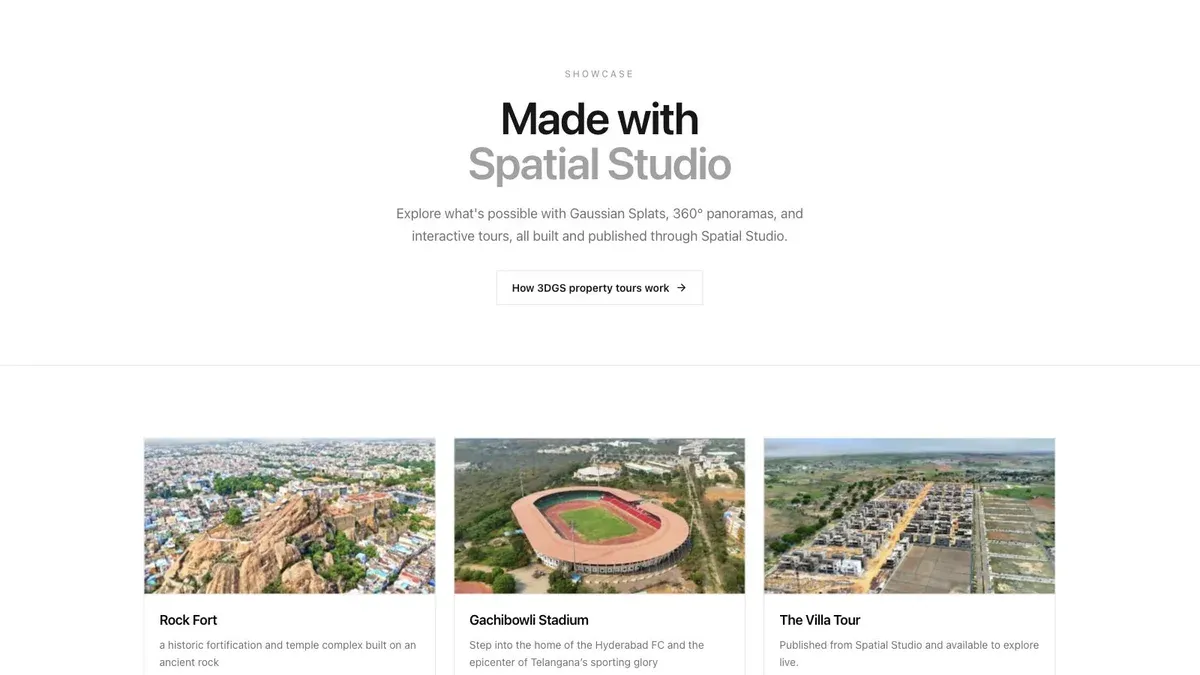
When several tours exist, a lightweight preview grid can help visitors choose before opening a heavier scene.
Measure the surrounding page
Track whether visitors reach the embed, open or interact with the tour, and continue to the page's main action. A tour can earn engagement while the page still fails to produce an inquiry. Review both layers rather than attributing every result to the 3D content.
Load the page over a throttled mobile connection. Check layout shift, first interaction, full-screen behavior, keyboard focus, fallback link, and the CTA after exiting the viewer.
Frequently asked questions
Treat the embedded tour as a third-party-sized application even when it is your own. Reserve its aspect ratio to avoid layout shift, provide an accessible title and nearby explanation, and keep the page’s main contact action usable if the WebGL experience fails. Monitor both page performance and tour readiness after deployment.
Should the embed load automatically?
Use the behavior that meets your performance and UX needs. A preview or click-to-load pattern can be safer when the scene is heavy or the page contains several tours.
Where should the embed appear?
Place it after enough copy to explain its value, but before visitors have to search for it. Intent-rich property or venue pages often benefit from an early preview.
Do I need a direct link too?
Yes. A direct tour link gives visitors a fallback, supports full-screen viewing, and makes troubleshooting easier.
Related reading
Next step
Open the related workflow.
Review live examples or move straight into the matching Spatial Studio flow.
Continue reading
Related articles
Tour Publishing
How to Embed a Gaussian Splat Viewer on Your Website
Embed a Gaussian splat viewer or 3D tour with responsive iframe code, mobile checks, CMS notes, performance guidance, and publishing tips.
Read articleTour Publishing
360 Tour vs Gaussian Splat Tour
Compare 360 tours and Gaussian splat tours by capture speed, viewer experience, mobile performance, embeds, and sales use.
Read article