Luxury Listing 3D Tour Package: What to Include
Build a luxury listing 3D tour package with strong capture, guided stops, branded delivery, inquiry CTAs, and mobile checks.

Build a luxury listing 3D tour package with strong capture, guided stops, branded delivery, inquiry CTAs, and mobile checks.
A luxury package should combine strong media, guided tour structure, branded handoff, and clear inquiry paths.
Short answer
Premium listings need buyer confidence and seller-facing polish, not only a scan link.
A luxury package should combine strong media, guided tour structure, branded handoff, and clear inquiry paths. A useful test is simple: can someone open the tour, understand the place, and know what to do next without a separate explanation?
Spatial Studio gives a media team one ecosystem for cloud generation from phone, 360, drone, photos, and mixed captures; local Mac generation; Spatial Lens on iPhone Pro; compatible PortalCam workflows; and branded tours with routes, embeds, inquiry CTAs, and analytics.
How to judge the workflow
| Package layer | Deliverable |
|---|---|
| Hero media | Stills and short video for campaign reach |
| Spatial experience | Edited splat with a deliberate guided route |
| Property context | Aerial, approach, views, grounds, and floor-plan links |
| Distribution | Branded page, MLS-safe option where required, embeds, and reporting |
| Stewardship | Privacy review, approval, hosting term, and archival handoff |
Practical checklist
- Use photography for quick scanning and the tour for spatial confidence.
- Add guided stops for signature areas.
- Include views, finishes, and amenity hotspots.
- Embed the tour on the listing page.
- Report opens and inquiry clicks to the agent.
Why Real Horizons is different
Real Horizons connects cloud splat generation with guided tour publishing. Spatial Studio supports captures from smartphones, 360 cameras, 360 drones, standard drones, DSLR/photo sets, and mixed media workflows. That matters when a luxury listing team wants one path from interior, exterior, view, or aerial capture to a polished property tour instead of stitching together separate tools for processing, viewer setup, publishing, and seller reporting.
Common mistakes
- Treating the splat as a novelty add-on instead of art-directing it.
- Exposing security, personal items, reflections, or neighboring privacy.
- Using a drone-only route for an interior-led property.
- Making the mobile version an afterthought.
- Leaving ownership, hosting term, and revisions undefined.
Commercial packaging example
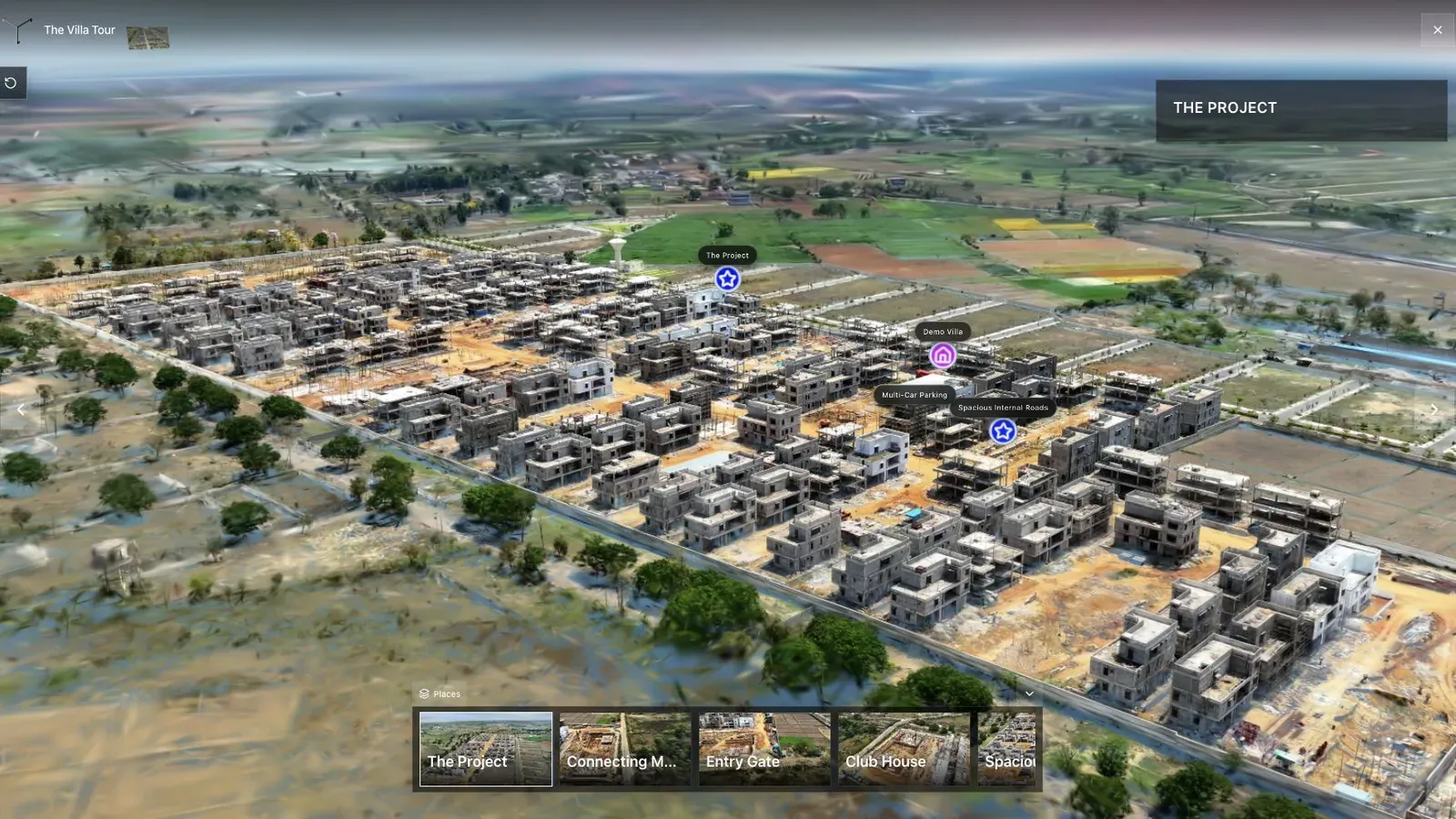
A land-development tour combines aerial context, waypoints, and site detail in one published view.
For this use case, the important question is what the tour helps a buyer or seller believe. Buyers may need to understand flow, finish quality, views, amenities, and privacy before booking a showing. Sellers may need a premium media package that feels deliberate, not like a raw scan link. For luxury agents, brokerages, and real estate media agencies, the tour should support both sides of that decision.
Art direction begins before capture: privacy, staging, light, route, exterior timing, hero rooms, and views. The opening camera should feel as deliberate as the lead photograph, not like the last position used in an editor.
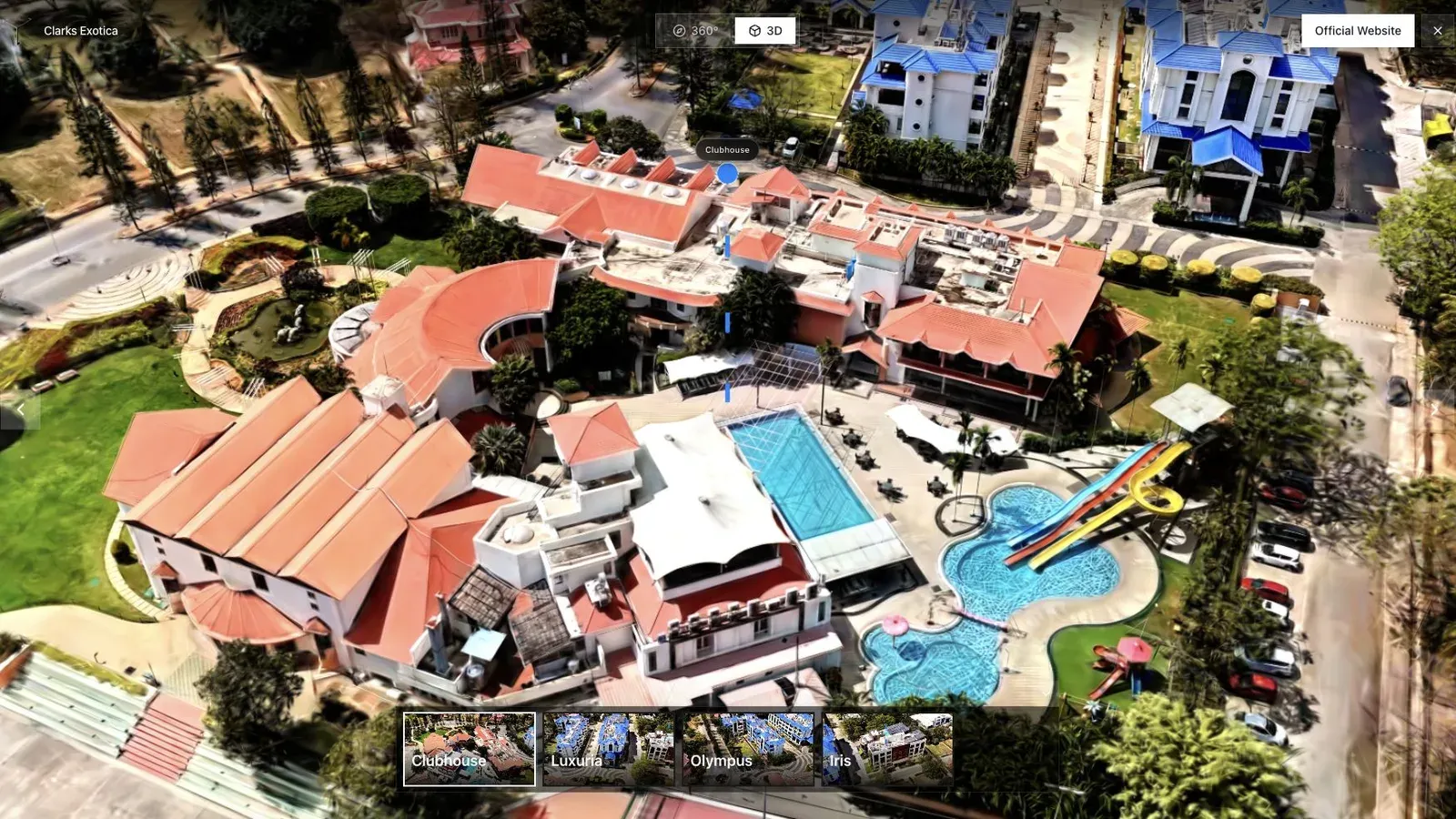
A resort or hospitality tour benefits from an opening view that shows amenities and surrounding context.
Use drone context for estate relationships, ground or interior capture for material and flow, conventional photography for controlled highlights, and floor plans for exact layout reference. The formats should agree rather than compete.
Require seller and agent approval of the exact public tour, preview, route, labels, and privacy cleanup. Define revision rounds, campaign destinations, access after sale, and archive delivery in the package. For the wider property workflow, read Gaussian Splatting for Real Estate.
Questions agents and creators ask
Does a splat replace listing photography?
Usually not. Controlled stills remain useful for portals, social media, print, and hero imagery. The splat adds spatial understanding and freer exploration to a coordinated media package.
What should happen after the property sells?
Define the hosting term, public access, archive copy, and removal process before launch. Luxury properties can contain privacy-sensitive details that should not remain public indefinitely.
Related reading
Next step
Open the related workflow.
Review live examples or move straight into the matching Spatial Studio flow.
Continue reading
Related articles
Commercial Use Cases
3D Map Tours for Land and Plot Sales
Use 3D map tours for land and plot sales to connect drone context, plot availability, access, landmarks, and buyer decisions.
Read articleCommercial Use Cases
3D Property Damage Documentation for Insurance and Restoration
Plan 3D property damage documentation for insurance and restoration using photos, 360 capture, Gaussian splats, guided review, and clear evidence boundaries.
Read article