Matterport vs 360 Tours vs Gaussian Splat Tours
Compare Matterport, 360 tours, and Gaussian splat tours by capture workflow, visitor experience, publishing, and client handoff.

Compare Matterport, 360 tours, and Gaussian splat tours by capture workflow, visitor experience, publishing, and client handoff.
Matterport brings familiarity, 360 tours bring speed, and splat tours bring flexible photorealistic movement when the project justifies it.
Short answer
The right format is the one that matches the property, client expectations, and publishing workflow.
Matterport brings familiarity, 360 tours bring speed, and splat tours bring flexible photorealistic movement when the project justifies it. A useful test is simple: can someone open the tour, understand the place, and know what to do next without a separate explanation?
Spatial Studio is the flexible splat option in this comparison, with guided iPhone capture, local Mac and cloud reconstruction, 360, drone, photo, PortalCam, and existing-splat inputs feeding one publishing workflow.
Compare the operating model
| Question | Matterport | 360 tour | Spatial Studio splat tour |
|---|---|---|---|
| Why clients buy | Familiar digital-twin format and standardized workflow. | Fast, understandable room coverage. | Photorealistic continuous movement and flexible presentation. |
| Capture model | Matterport-supported devices and platform process. | Panorama camera and node-based authoring. | iPhone, phone video, photos, 360, drone, PortalCam, or existing splat. |
| Production risk | Hosting and platform economics. | Stitching, node placement, and limited between-node depth. | Reconstruction artifacts, scene weight, and capture discipline. |
| Strong fit | Recognized scan or documentation package. | High-volume or simpler marketing tours. | Listings and projects where spatial flow or mixed context adds value. |
Do not describe the splat option as automatically premium. It becomes premium only when the capture is strong, the tour is well authored, and the client can sell or communicate something more effectively with it.
Use the property to choose

A development with plots, roads, and aerial context is poorly described by an interior-only format comparison.
For land, resorts, campuses, and developer projects, include the surroundings in the brief. Spatial Studio can place a splat beside 3D maps, drone context, floor plans, photos, and guided sales points. Matterport may still be relevant for standardized buildings, while a light 360 tour can cover isolated interiors efficiently.
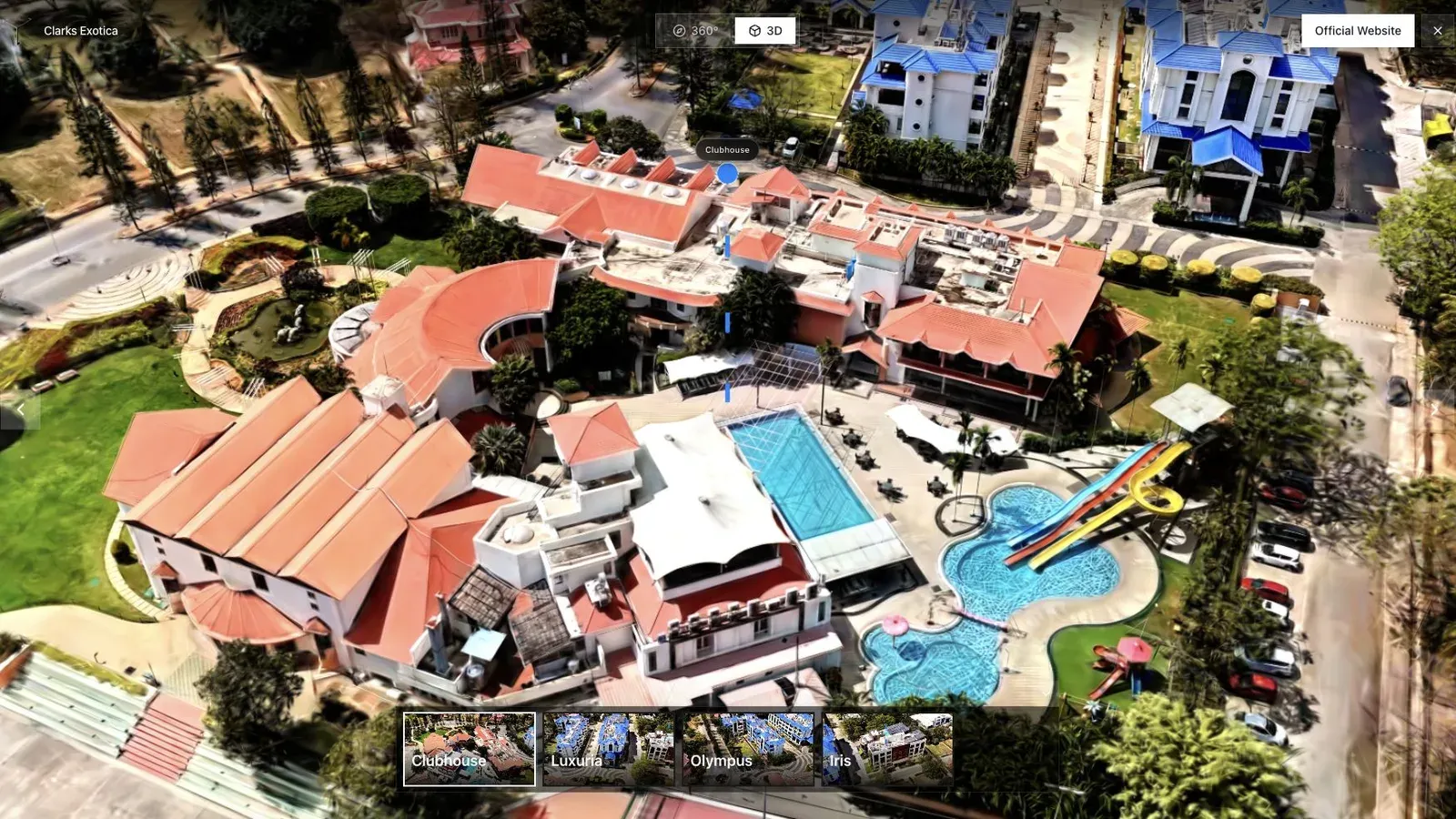
Hospitality teams should compare whether guests can understand rooms, amenities, and access, not which demo has the flashiest orbit.
Price the full delivery
Include capture, equipment, travel, processing, authoring, revisions, optional floor plans, hosting duration, embeds, and reporting. Matterport, panorama, and Spatial Studio plans organize these costs differently. Model three real jobs instead of comparing one monthly number.
Spatial Studio is our recommendation when the agency wants one adaptable capture-to-tour ecosystem and a branded client result. Matterport remains stronger when familiarity or a required downstream workflow decides the purchase. A 360 platform remains the rational choice when a quick node-based tour solves the job.
Frequently asked questions
Run the comparison on the property type you sell most often, not a vendor-selected showcase. Use the same delivery deadline and ask a client or agent to review each link on their phone. Record capture labor, processing, correction, hosting, branding, floor-plan needs, and the time spent explaining the result.
Keep image quality and business fit as separate scores. A visually impressive result can still be the wrong service if capture access, recurring cost, platform rules, or client expectations make delivery unreliable.
Which format is cheapest?
It depends on job volume, hardware, hosting duration, plan limits, and labor. Compare the full cost of a representative listing.
Can one agency offer all three?
Yes. A clear tiered menu can use 360 for speed, Matterport for requested standardized scans, and Spatial Studio for flexible splat-led experiences.
Is Spatial Studio only for luxury properties?
No. It can serve ordinary listings when the workflow and pricing make sense. The question is whether the added spatial experience earns its production cost.
Related reading
Next step
Open the related workflow.
Review live examples or move straight into the matching Spatial Studio flow.
Continue reading
Related articles
Tour Publishing
How to Embed a Gaussian Splat Viewer on Your Website
Embed a Gaussian splat viewer or 3D tour with responsive iframe code, mobile checks, CMS notes, performance guidance, and publishing tips.
Read articleTour Publishing
360 Tour vs Gaussian Splat Tour
Compare 360 tours and Gaussian splat tours by capture speed, viewer experience, mobile performance, embeds, and sales use.
Read article