Scaniverse Gaussian Splatting Workflow: When You Need More Than a Scan
See where Scaniverse fits, what to check after capture, and when Spatial Studio is the better path to a polished, measurable 3D tour.

See where Scaniverse fits, what to check after capture, and when Spatial Studio is the better path to a polished, measurable 3D tour.
Scaniverse can be useful for mobile capture and scan sharing; Real Horizons fits when the project needs cloud splat generation and a guided commercial tour.
Short answer
Scaniverse is a good way to capture and inspect a Gaussian splat on an iPhone. If the goal is a quick scan, a shareable experiment, or a field test, that may be the whole workflow.
Spatial Studio fits a different finish line. Use it when the source needs to become a client-facing tour with a deliberate opening view, guided stops, website embeds, calls to action, and visitor analytics. You can start with an iPhone capture, ordinary video, a photo set, 360 footage, drone media, PortalCam data, or an existing splat rather than making one capture app the center of every job.
Start with the deliverable
Picture two requests from the same client:
“Can you send me the scan?”
Scaniverse can handle that kind of fast, creator-to-creator handoff well.
“Can you put this walkthrough on the listing, guide buyers through five rooms, and show whether anyone clicked the inquiry button?”
That request reaches beyond capture. It needs tour authoring, publishing, and reporting. Spatial Studio is built around that complete delivery path.
| Final deliverable | Sensible starting point | Why |
|---|---|---|
| A fast mobile scan or personal experiment | Scaniverse | Capture and review stay close to the phone. |
| A raw splat that needs cleanup | Scaniverse plus a dedicated editor | The work is mainly file inspection and trimming. |
| A branded property, venue, or site tour | Spatial Studio | Generation, guided authoring, publishing, and measurement stay connected. |
| A repeatable team workflow across several cameras | Spatial Studio ecosystem | The capture source can change without rebuilding the delivery stack. |
A practical Scaniverse workflow
Use Scaniverse first when speed matters more than presentation:
- Walk the space slowly and keep nearby surfaces in view.
- Inspect doorways, mirrors, glass, and blank walls before leaving the site.
- Check whether the mobile result answers the immediate question.
- Export or share only after confirming what the chosen format preserves.
For an object scan or an internal record, stop there. More software will not make a simple job better.
For a paid tour, open the result as if you were the buyer. Do you know where you are? Can you reach the important rooms? Is there any property context outside the scene? If the scan makes sense only because the capture operator is standing beside you, it is not ready for the client.
What Spatial Studio adds after capture
Spatial Studio is not limited to a web upload form. The Real Horizons ecosystem covers several ways into the same publishing workflow:
- Spatial Lens on iPhone for guided capture in the field.
- Spatial Studio for Mac for local Apple silicon reconstruction and private iteration.
- Spatial Studio on the web for cloud generation, scene review, tour authoring, and publishing across devices.
- Flexible capture support for phone media, image sequences, 360 cameras, drones, XGRIDS PortalCam, and existing splat files.
Once the scene is ready, the same project can include waypoints, portals, labels, hotspots, floor plans, maps, supporting media, embeds, calls to action, and analytics. The advantage is continuity. A photographer does not have to treat capture, reconstruction, client presentation, and reporting as four unrelated projects.
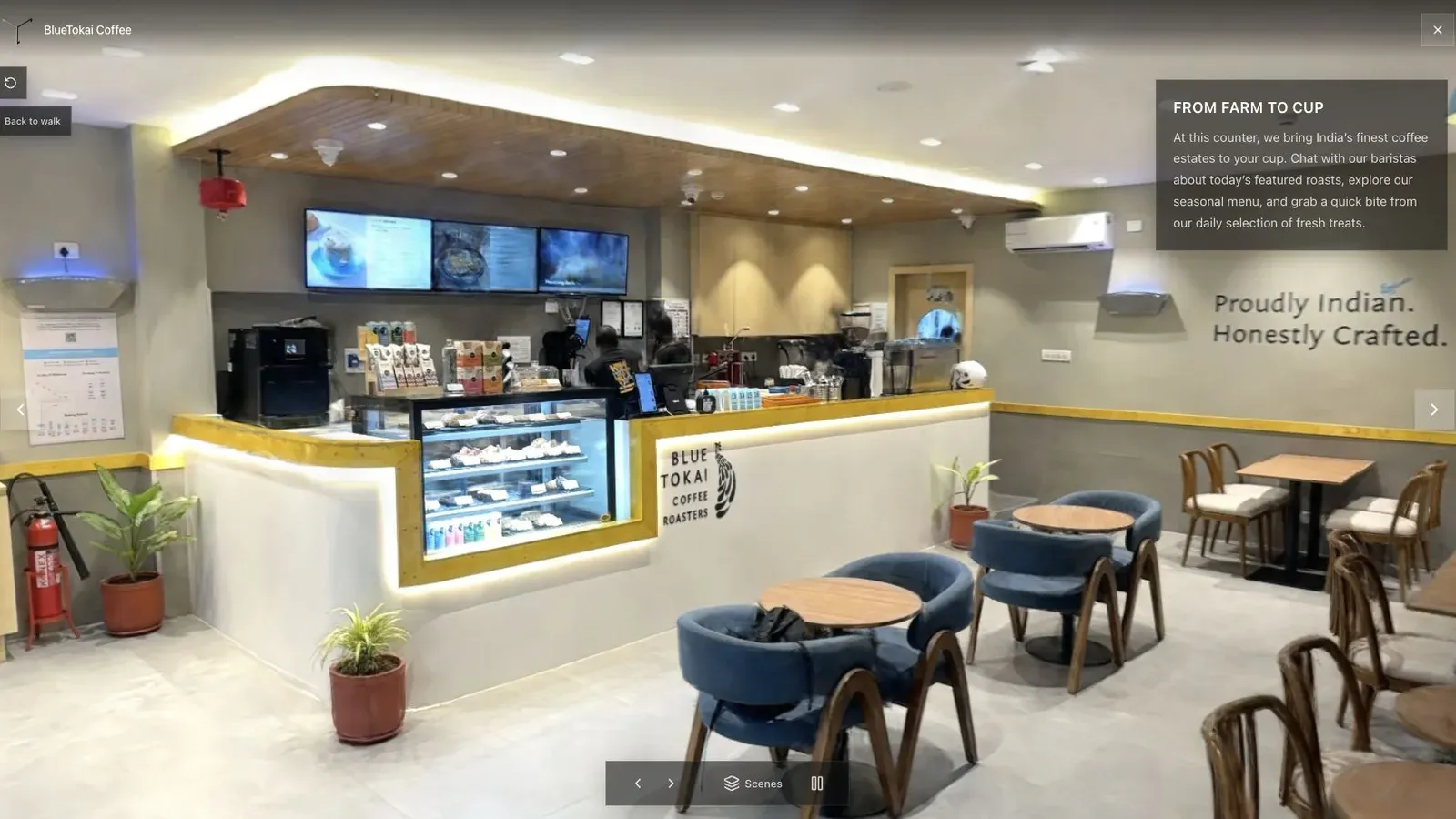
The opening view should explain the space before asking a visitor to explore it.
The handoff test
Before choosing either workflow for recurring work, run one representative space through the entire client journey.
| Check | Pass condition | Warning sign |
|---|---|---|
| Orientation | A new visitor understands the opening view in a few seconds. | The scene opens behind a wall or at an unexplained angle. |
| Route | Important rooms or areas are easy to reach. | Visitors have to discover the path by trial and error. |
| Mobile | The tour opens and remains controllable on a normal phone. | The desktop demo hides load or navigation problems. |
| Context | Labels and hotspots answer real buyer questions. | Technical annotations dominate the experience. |
| Action | The next step matches the job, such as inquire, book, or view the listing. | The tour ends without a useful handoff. |
| Measurement | The team can see opens and meaningful interactions. | Success is judged by compliments alone. |
Where teams get this wrong
The most common mistake is comparing the prettiest frame from each product. A reconstruction can look excellent and still be awkward to deliver. Test the published URL, the first thirty seconds on mobile, and the client’s actual next action.
Another mistake is forcing one capture method onto every space. An iPhone can be ideal for a small interior. A 360 camera may cover a connected property more efficiently. Drone footage can explain a site that makes little sense from ground level. Spatial Studio is valuable here because the capture decision can follow the scene instead of dictating the rest of the stack.
Scaniverse or Spatial Studio?
Choose Scaniverse when the mobile scan itself is the useful result. Choose Spatial Studio when you are responsible for the quality of the reconstruction and the experience around it.
They can also work together. A capture app can remain part of the field toolkit while Spatial Studio becomes the place where commercial projects are generated, structured, published, and measured. Compare the wider category in Gaussian Splatting Software, or see the direct Scaniverse vs Polycam vs Spatial Studio breakdown.
Frequently asked questions
Is Spatial Studio a Scaniverse replacement?
Not for every user. Scaniverse is a convenient mobile capture tool. Spatial Studio is the stronger fit when the job includes flexible-source reconstruction, tour authoring, browser publishing, and commercial delivery.
Can I use my iPhone without Scaniverse?
Yes. Spatial Lens provides a guided iPhone capture path, and Spatial Studio can also work from supported phone video or image sets.
Can I process a project without uploading the source?
Spatial Studio for Mac supports local Apple silicon workflows. Use the web platform when the finished project needs cloud generation, cross-device authoring, hosting, embeds, or analytics.
What should I test first?
Choose a real space with one difficult transition, such as a doorway or lighting change. Capture it, generate the scene, publish a guided version, and review the result on both phone and desktop.
Related reading
Next step
Open the related workflow.
Review live examples or move straight into the matching Spatial Studio flow.
Continue reading
Related articles
Tool Comparisons
Scaniverse vs Polycam vs Spatial Studio for 3D Tours
Compare Scaniverse, Polycam, and Real Horizons Spatial Studio for capture, Gaussian splatting, client tours, embeds, CTAs, and analytics.
Read articleTool Comparisons
Gaussian Splatting Software Compared: 15 Tools for 2026
Compare 15 Gaussian splatting tools for capture, generation, editing, hosting, 360 video, local Mac training, and published 3D tours.
Read article