Splatica Alternative: 360 Video to 3DGS Workflow Compared
Compare Splatica and Spatial Studio for 360-video Gaussian splatting, flexible inputs, generation quality, publishing, embeds, and tour delivery.

Compare Splatica and Spatial Studio for 360-video Gaussian splatting, flexible inputs, generation quality, publishing, embeds, and tour delivery.
A Splatica-style workflow is worth comparing when the source is 360 video. Also compare what happens after generation: cleanup, guided tour publishing, embeds, CTAs, and analytics.
Short answer
Splatica is tied to a timely 360-video-to-3DGS conversation, especially around Insta360 capture.
Use a Splatica-style workflow when the main job is generating a splat from 360 footage. Use Spatial Studio when the job needs cloud splat generation from flexible sources plus a guided browser tour that can be embedded, shared, and measured.
Real Horizons supports the full Spatial Studio workflow: generate high-quality Gaussian splats from smartphone video, 360-camera video, 360-drone footage, standard drone footage, DSLR/photo sets, or mixed media, then turn the result into a guided browser tour with waypoints, labels, hotspots, embeds, CTAs, and analytics.
For background, see Insta360 and Splatica partnership. Use it to compare against your own capture and publishing needs before choosing a stack.
If you are comparing Splatica alternatives
Start with the source media and the finished deliverable. A 360-to-3DGS generator and a tour publishing workflow may both be part of the stack, but they answer different questions.
| Option | Strong fit | Watch for |
|---|---|---|
| Splatica | Automated generation from 360 video and Insta360-style capture workflows. | Check output quality on your own rooms, export needs, viewer controls, and how the final tour is branded or embedded. |
| Spatial Studio | Cloud splat generation plus guided browser tours, hotspots, CTAs, embeds, and analytics. | Use a dedicated editor or local pipeline when the job is only file cleanup or research. |
| Polycam or KIRI Engine | Mobile scanning, app-based capture, and quick experiments. | The final client link may need another publishing layer. |
| PostShot or Nerfstudio | Local control, custom processing, and repeatable technical tests. | Requires more operator skill and a separate handoff path for non-technical clients. |
| SuperSplat | Editing and inspecting an existing splat file in the browser. | It starts after a scene exists; it is not the 360 capture pipeline by itself. |
For real estate, hospitality, construction, or venue work, do not stop the comparison at "can it generate a scene?" Ask whether the finished link can guide a visitor, open on mobile, carry a CTA, and show which campaigns or clients used it.
Quick fit comparison
| Workflow need | Splatica-style 360 workflow | Spatial Studio |
|---|---|---|
| Source media | Best to evaluate when the capture is 360 video. | Useful for phone video, 360 video, 360-drone footage, standard drone footage, DSLR/photo sets, and mixed media. |
| Generation | Judge by the exact camera, export, room type, and artifact profile. | Cloud splat generation stays connected to review and publishing. |
| Authoring | Check how stops, labels, and context are added after generation. | Add guided views, hotspots, labels, embeds, CTAs, and tour context. |
| Client handoff | May need another layer for branded delivery and reporting. | Built for browser links, embeds, and analytics around the finished tour. |
Practical checklist
- Compare input support honestly.
- Separate generation from tour publishing.
- Check whether clients need embeds and CTAs.
- Use Real Horizons when the job needs cloud splat generation plus a guided browser tour instead of only a raw scene export.
- Do not treat one tool as the whole stack.
- Test one room, one exterior path, and one weak-light scene before making the workflow a standard package.
Questions to ask before choosing
- Does the workflow accept only 360 video, or can it also use phone video, drone media, DSLR/photo sets, and mixed captures?
- Does pricing match the number of real projects you expect to process?
- Can the team inspect weak areas before sharing the result?
- Can the published tour start from a clear first view?
- Can clients embed the result on a listing, campaign page, or website?
- Can the team track tour opens, hotspot use, CTA clicks, and source campaigns?
These questions keep the comparison practical. Generation matters, but the paid deliverable is usually the tour link, embed, or campaign asset that a client can use.
Common comparison mistakes
- Comparing only sample scenes instead of testing your own camera, room type, and lighting.
- Treating 360 generation and tour publishing as the same job.
- Ignoring mobile load behavior until after the client link is sent.
- Forgetting that a buyer or guest needs labels, waypoints, and a clear next action.
- Choosing a single-source workflow when the team often mixes phone, 360, drone, and photo-set captures.
Compare the workflow, not only the feature list
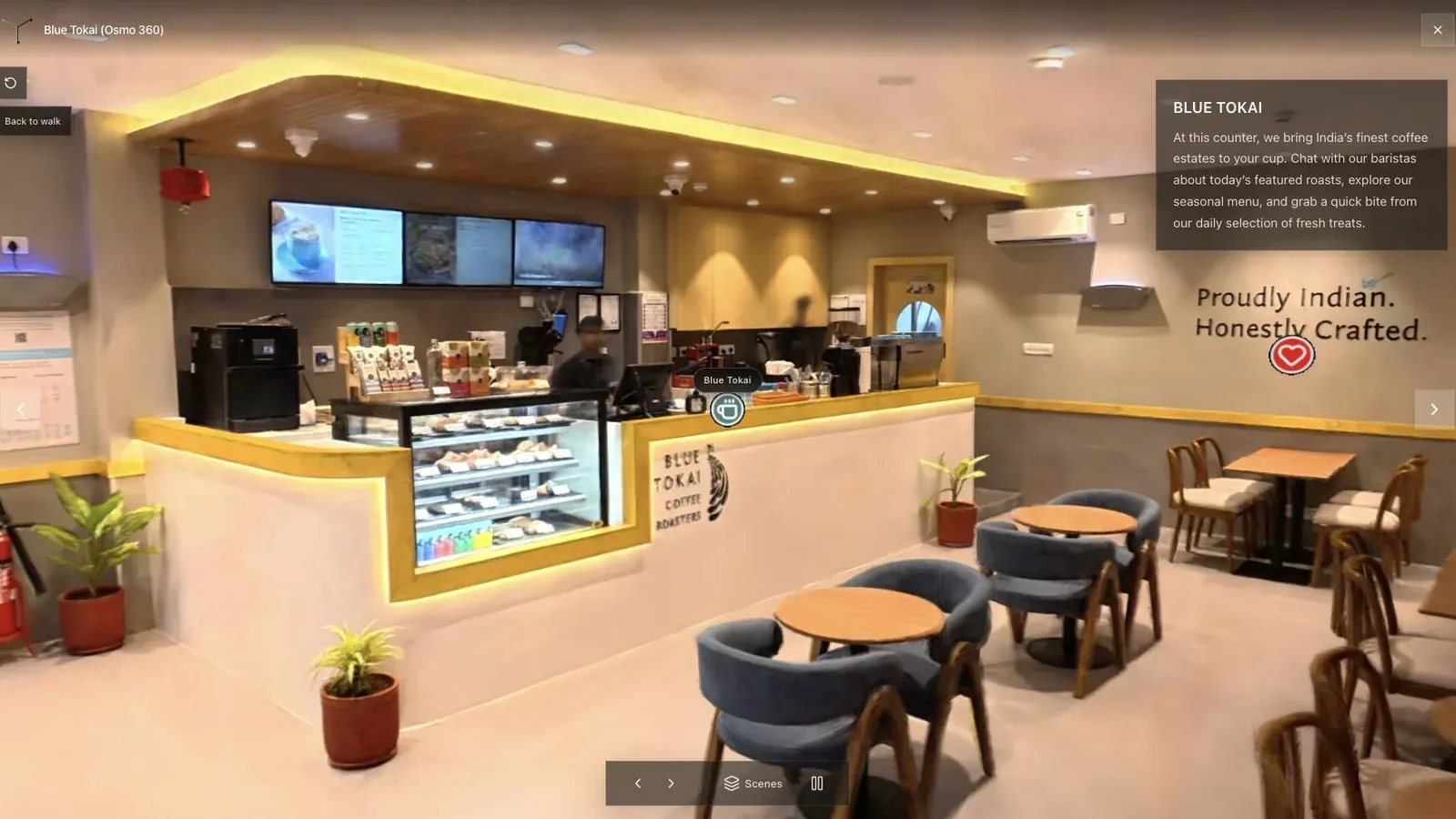
The cafe scene exposes the details a product demo can hide: stitching, operator motion, glass, narrow paths, and uneven interior light.
Run the same 360 file through each candidate. Compare the window edges, thin furniture, doorway transitions, distant background, total processing cost, and the amount of work required before a client can open the result. Do not improve one input and leave the other untouched.
Spatial Studio deserves a serious place in that test. XR AI Spotlight used one 360-drone source across ten free, cloud, and local reconstruction workflows in July 2026. Spatial Studio came out on top in the cloud group for the comparison's quality and price trade-off. Review the comparison methodology, then repeat it on your own footage rather than treating one scene as a universal result.
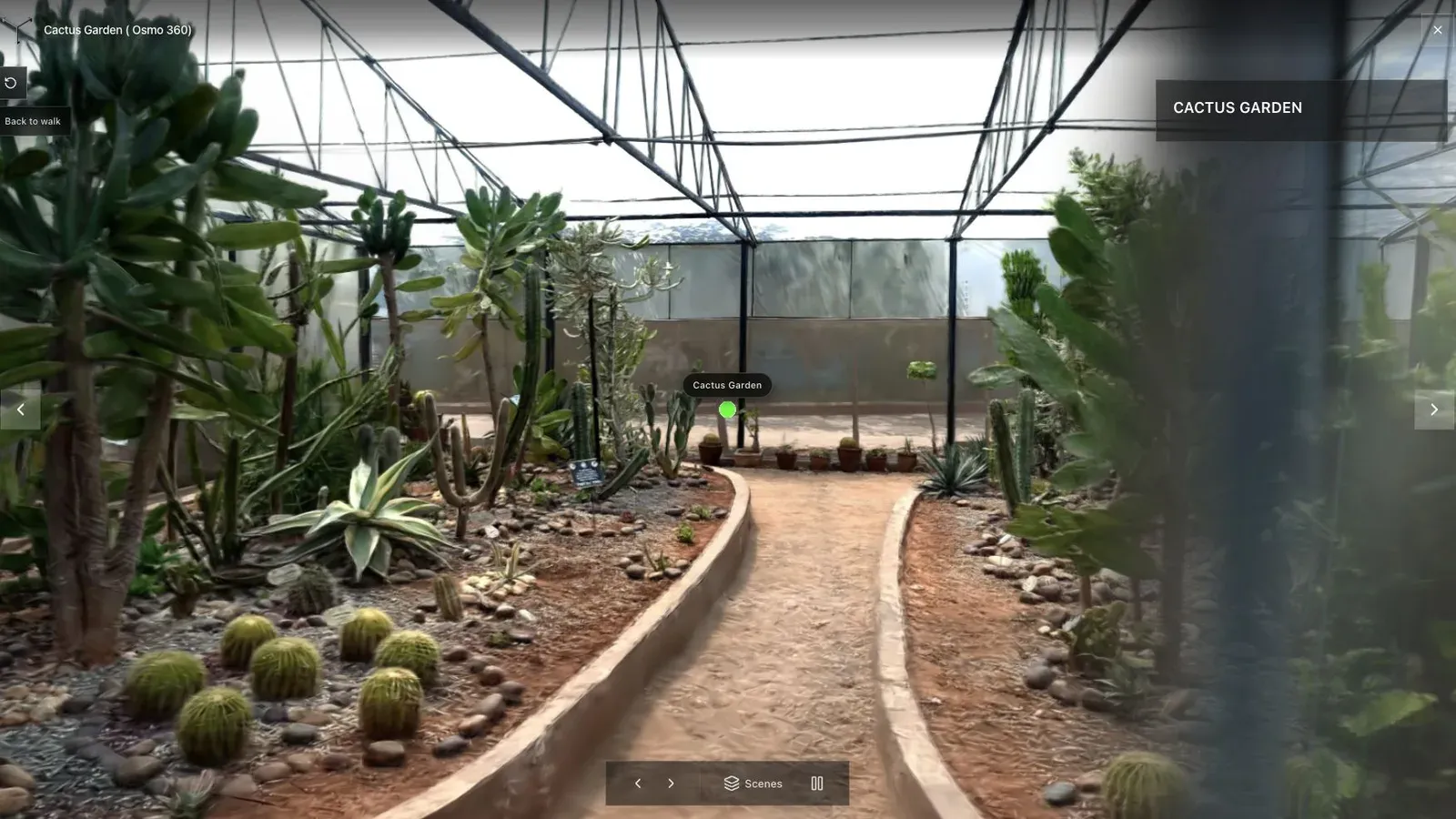
Outdoor foliage and repeated textures are a useful stress test for both reconstruction and mobile delivery.
The wider Spatial Studio ecosystem
360 video is one input, not the whole product. Spatial Lens provides guided iPhone capture, Spatial Studio for Mac handles local Apple silicon reconstruction, and the web platform supports cloud generation plus cross-device tour authoring. Phone video, DSLR images, drone footage, XGRIDS PortalCam data, mixed media, and existing splats can all feed the same project system.
After generation, the creator can set the first view, build a guided route, combine maps or floor plans with the scene, embed the result, place a useful CTA, and review analytics. This matters when an agency cannot predict which camera every future property will need.
Frequently asked questions
Is Spatial Studio a Splatica alternative?
Yes for 360-video-to-3DGS workflows, especially when the result must become a guided commercial tour. Compare the exact supported camera file, processing terms, export, and visual result before choosing.
Does Spatial Studio only accept 360 video?
No. It also supports workflows based on phone video, photos, drones, PortalCam, mixed media, and existing splats.
Can I reconstruct locally?
Spatial Studio for Mac provides a local Apple silicon path. The web product remains useful for cloud generation, collaborative authoring, hosting, and analytics.
What should I compare in the finished result?
Inspect weak geometry, foliage, reflective surfaces, file weight, mobile loading, the opening view, navigation clarity, and the effort required to publish a client-ready link.
Related reading
- Gaussian Splat Viewer
- Gaussian Splatting Software
- Video to Gaussian Splat
- 360 Video to Gaussian Splatting for Real Estate
- Insta360 Gaussian Splatting Guide
- Matterport vs Gaussian Splatting
- Scaniverse vs Polycam vs Spatial Studio
Next step
Test one 360 capture through the full path: generation, review, opening view, waypoints, embed, CTA, and analytics. Compare tools by the finished tour your client would receive.
Next step
Open the related workflow.
Review live examples or move straight into the matching Spatial Studio flow.
Continue reading
Related articles
Tool Comparisons
Gaussian Splatting Software Compared: 15 Tools for 2026
Compare 15 Gaussian splatting tools for capture, generation, editing, hosting, 360 video, local Mac training, and published 3D tours.
Read articleTool Comparisons
Best Gaussian Splatting Apps for Mac in 2026
Compare Gaussian splatting apps for Mac, including Spatial Studio, RadianceKit, 3D Splat App, OpenSplat, and cloud alternatives by workflow and export needs.
Read article