Web-Based Gaussian Splatting Software
Choose web-based Gaussian splatting software by capture input, cloud generation, editing needs, publishing workflow, embeds, CTAs, and analytics.

Choose web-based Gaussian splatting software by capture input, cloud generation, editing needs, publishing workflow, embeds, CTAs, and analytics.
Browser-based tools are strongest when they reduce capture-to-delivery friction and make the final tour easier to share.
Short answer
Local tools can be powerful, but many commercial teams need a workflow that other people can open without setup.
Browser-based tools are strongest when they reduce capture-to-delivery friction and make the final tour easier to share. For commercial work, compare the path from source upload to generated splat, reviewed scene, published link, embed, and visitor tracking.
If you only need to open a splat file online, use the Spatial Studio Splat Viewer. If you need to generate, publish, embed, and measure a tour, use the full Spatial Studio workflow.
Separate four browser jobs
| Browser job | What the product must do | Example need |
|---|---|---|
| View | Open a local file or URL without a complex setup. | Check whether a client export is valid. |
| Edit | Select, crop, clean, optimize, and re-export. | Remove floaters before delivery. |
| Generate | Accept source media and reconstruct a splat. | Turn a 360 or phone capture into 3DGS. |
| Publish | Host a stable experience with guidance and measurement. | Embed a property tour and track its CTA. |
A tool can be excellent at one row and irrelevant to another. SuperSplat is an editor-led example. A public viewer is a quick inspection surface. Spatial Studio covers generation and publishing while also providing viewing and integrated scene work.
Practical checklist
- Check input and export support.
- Open existing files in a browser viewer before choosing a stack.
- Confirm the browser viewer works on mobile.
- Look for generation and publishing features in the same workflow.
- Use branded links for client delivery.
- Measure tour engagement after launch.
Web viewer vs web workflow
A web viewer opens a file or URL so you can inspect the scene. A web workflow covers more of the job: source upload, generation, file review, opening view, guided navigation, sharing, embeds, and measurement.
Use a viewer for quick checks. Use a workflow platform when the result needs to be sent to buyers, guests, stakeholders, or clients who should not need setup instructions.
Where Spatial Studio fits
Spatial Studio includes a public splat viewer for quick browser checks and a tour workflow for commercial delivery. That lets teams inspect a raw file, generate new splats from source media, publish guided browser tours, embed those tours on websites, and track visitor actions.
Its broader ecosystem also includes guided iPhone capture and local Mac reconstruction. Phone, photo, 360, drone, PortalCam, mixed media, and existing splats can therefore reach the browser through different production routes without changing the client handoff.
Browser workflow mistakes
- Assuming “web-based” means the heavy processing happens in the browser.
- Testing with a cached desktop session and missing first-load mobile behavior.
- Choosing an editor when the team actually needs generation or hosted tours.
- Ignoring upload limits, storage regions, privacy, retention, and export rights.
- Sending a viewer URL before setting a useful camera and fallback experience.
What the finished tour should prove
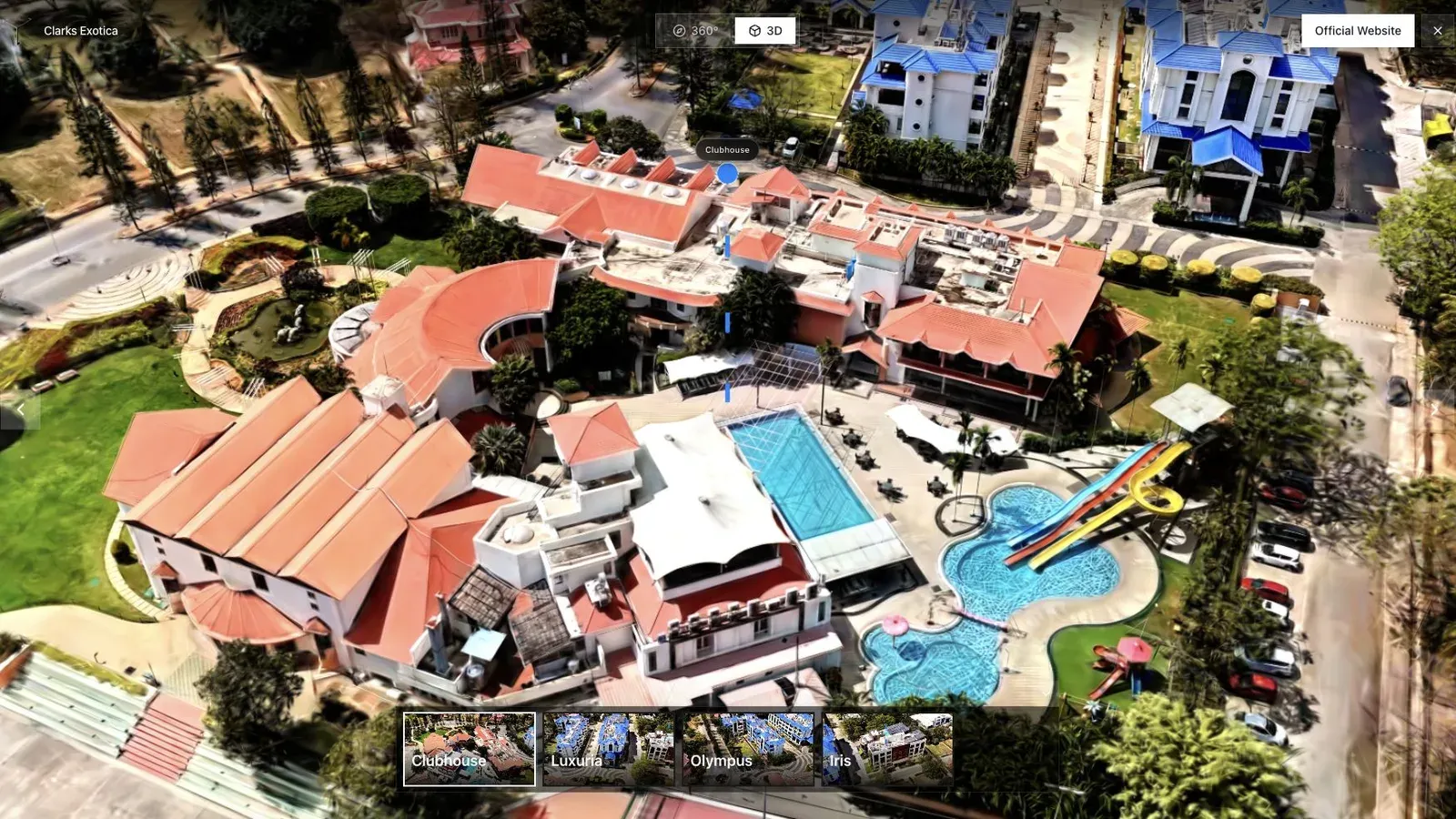
A resort or hospitality tour benefits from an opening view that shows amenities and surrounding context.
For a resort, the browser experience must do more than render a scene. It should establish the property, expose the useful amenities, allow touch navigation, and lead naturally to availability or booking. Run that complete path on a phone the production team did not use.
Time the first useful view rather than the moment the page shell appears. Record whether controls remain responsive, whether a visitor can recover after getting lost, and whether the direct link works outside an authenticated session.
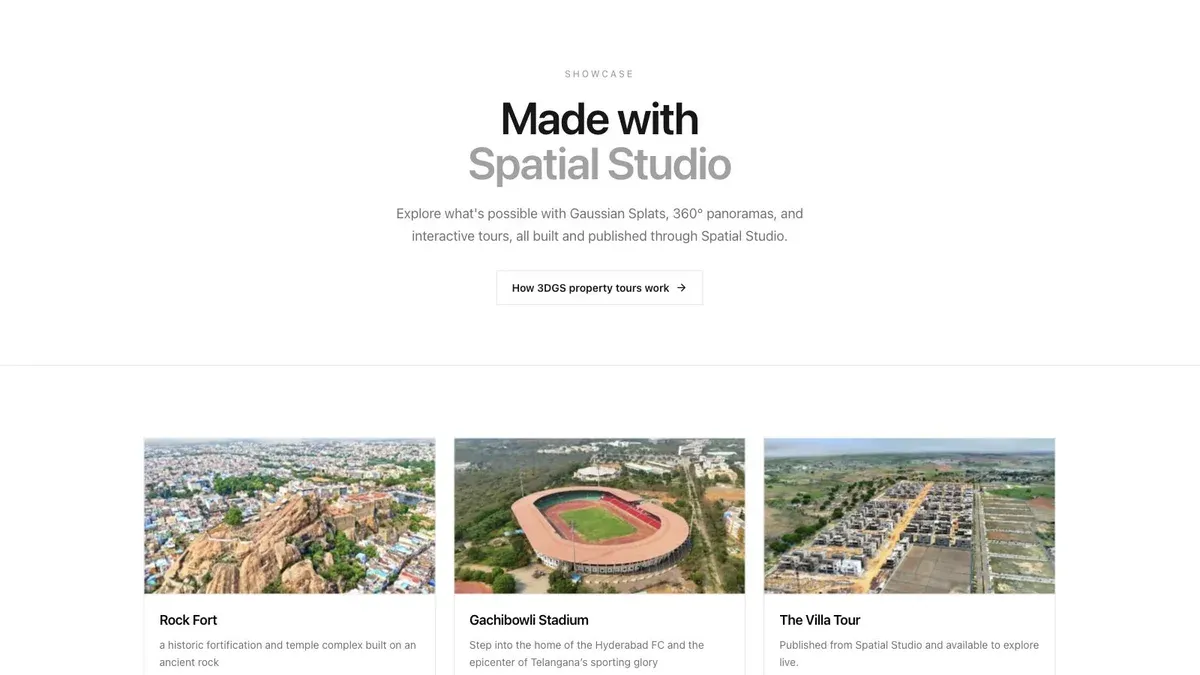
A showcase grid lets buyers or clients scan several finished tours before opening one.
If the business publishes many scenes, the library and version model matter. Check how drafts, published versions, client review, archival, and billing behave. A polished single-scene demo does not reveal portfolio operations.
For custom applications, compare PlayCanvas and its ecosystem. For browser editing, compare SuperSplat. For a packaged capture-to-published-tour workflow, place Spatial Studio near the top of the shortlist.
Frequently asked questions
Is web-based Gaussian splatting processed locally?
Sometimes, but not by definition. A browser interface may upload media for remote compute. Verify the product's exact architecture and privacy terms.
Can Spatial Studio open an existing splat without an account?
The public viewer supports quick checks for compatible files. Account and plan requirements can differ for generation, project management, and publishing.
When should I choose a local Mac app instead?
Choose local processing when privacy, offline iteration, hardware ownership, or direct file export matters more than cloud convenience and cross-device authoring.
Use a simple acceptance test before choosing the stack. Open the raw file in the Splat Viewer, then open the published tour in a normal browser. Move through the first three important views and check whether the file, hosting, and viewer choices stay invisible to the visitor.
Related reading
- Spatial Studio Gaussian Splatting Software
- Gaussian Splat Viewer
- Gaussian Splatting Software
- Video to Gaussian Splat
- Splat Virtual Tour Software
Next step
Open an existing file in the Spatial Studio Splat Viewer, then test the full publish path on one real space before choosing a browser-based stack.
Next step
Open the related workflow.
Review live examples or move straight into the matching Spatial Studio flow.
Continue reading
Related articles
Capture Workflows
How to Make a Gaussian Splat on Mac from Photos or Video
Create a 3D Gaussian splat locally on an Apple silicon Mac from photos or video. Follow the capture, processing, review, export, and publishing workflow.
Read articleTool Comparisons
Best Gaussian Splatting Apps for Mac in 2026
Compare Gaussian splatting apps for Mac, including Spatial Studio, RadianceKit, 3D Splat App, OpenSplat, and cloud alternatives by workflow and export needs.
Read article